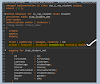
String templates in ABAP provide a powerful and readable way to build formatted strings. Using embedded expressions, developers can apply formatting options directly inside the template without writing additional conversion logic.
This feature is fully supported in SAP S/4HANA Public Cloud and ABAP Cloud, making it extremely useful when formatting values for:
- UI messages
- Logs
- API responses
- File generation
- Integration scenarios
Below are some commonly used formatting options with string templates.
ALPHA Conversion (IN / OUT)
Used to convert values between internal and external formats, commonly required for business objects such as Sales Orders, Customers, or Materials.
DATA(lv_salesdoc) = CONV vbeln( '1' ).
DATA(lv_alpha_in) = |{ lv_salesdoc ALPHA = IN }|. "0000000001
DATA(lv_alpha_out) = |{ lv_salesdoc ALPHA = OUT }|. "1
WIDTH Formatting
The WIDTH option allows you to define the total output length.
DATA(lv_salesdoc_width) =
|{ lv_salesdoc ALPHA = IN WIDTH = 15 }|.
This is useful when generating fixed-length files or formatted output.
Currency Formatting
Currency formatting adjusts the decimal places according to the currency definition.
DATA(lv_amount) = 123456.
DATA(lv_inr) = |{ lv_amount CURRENCY = 'INR' }|. "1234.56
DATA(lv_omr) = |{ lv_amount CURRENCY = 'OMR' }|. "123.456
Different currencies have different decimal precision, and this formatting automatically handles it.
Number Formatting
Numbers can be formatted based on user settings or system environment.
DATA(lv_number) = 12345678.
DATA(lv_user_format) = |{ lv_number NUMBER = USER }|.
SET COUNTRY 'US'.
DATA(lv_env_format) = |{ lv_number NUMBER = ENVIRONMENT }|.
Example outputs:
USER format -> 12.345.678
Environment format -> 12,345,678
Date Formatting
String templates support multiple date formats, including user-specific and ISO formats.
DATA(lv_date) = sy-datum.
DATA(lv_user_date) = |{ lv_date DATE = USER }|. "20.01.2025
DATA(lv_iso_date) = |{ lv_date DATE = ISO }|. "2025-01-20
The same formatting options also exist for:
- TIME
- TIMESTAMP
Decimal Formatting
You can control the number of decimal places directly in the string template.
DATA(lv_decimal) = CONV f( '1234.456877' ).
DATA(lv_3_decimal) = |{ lv_decimal DECIMALS = 3 }|. "1234.457
Case Conversion
String templates also support uppercase and lowercase conversions.
DATA(lv_name) = 'Tasneem Karimi'.
DATA(lv_uppercase) = |{ lv_name CASE = UPPER }|.
DATA(lv_lowercase) = |{ lv_name CASE = LOWER }|.
Output:
UPPER -> TASNEEM KARIMI
LOWER ->tasneem karimi
Sign Formatting
You can control the position of the positive sign.
DATA(lv_sign) = 123.
DATA(lv_left_plus) = |{ lv_sign SIGN = LEFTPLUS }|.
DATA(lv_right_plus) = |{ lv_sign SIGN = RIGHTPLUS }|.
Output examples:
+123
123+
Text Alignment
The ALIGN option allows positioning the text within a specified width.
DATA(lv_text) = '1'.
DATA(lv_align_right) =
|{ lv_text ALIGN = RIGHT WIDTH = 5 }|.
Output:
1
Padding Characters
Padding allows filling the remaining width with custom characters.
DATA(lv_pad) =
|{ lv_text ALIGN = RIGHT WIDTH = 5 PAD = '_' }|.
Output:
____1
Why Use String Templates in ABAP Cloud?
Using string templates with embedded expressions offers several advantages:
- Cleaner and more readable syntax
- No need for additional conversion functions
- Built-in formatting for dates, numbers, currency, and text
- Fully supported in SAP S/4HANA Public Cloud and ABAP Cloud
This makes them particularly useful when building modern RAP applications and integration services.
#ABAP #ABAPCloud #S4HANACloud #SAPDevelopers #RAP #SAPBTP #ABAPDevelopment