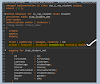
When building applications using the ABAP RESTful Application Programming Model (RAP), developers often need to know what changed during a transaction. This is especially important for implementing determinations, validations, and conditional business logic.
ABAP provides a powerful feature in Entity Manipulation Language (EML) called READ ... WITH CHANGES, which allows you to access accumulated change information for RAP Business Object (BO) instances within the same RAP transaction.
What is READ ... WITH CHANGES?
The WITH CHANGES addition in EML enables developers to retrieve change tracking information for RAP BO instances that were modified during the current transaction.
Using this feature, you can determine:
- Whether an instance was created
- Whether it was updated
- Whether it was deleted
- Whether it remained unchanged
This makes it easier to implement logic that depends on the type of operation or the specific fields that were modified.
Usage Restrictions
READ ... WITH CHANGES can only be used under specific conditions.
Supported Scenarios
- Inside RAP behavior implementation classes
- For Managed RAP Business Objects
- Together with
IN LOCAL MODE
Not Supported For
- Unmanaged RAP BOs
- Read-by-association operations
- RAP functions
Because of these restrictions, it is typically used inside determinations, validations, or actions.
Understanding the Change Indicators
When READ ... WITH CHANGES is executed, the result includes two important RAP structures:
%chg – Operation Indicator
The %chg component indicates what operation occurred on the instance.
Common values include:
- C – Created
- U – Updated
- D – Deleted
- Unchanged
This helps determine which operation triggered the logic.
%control – Field-Level Change Indicator
The %control structure indicates which specific fields were modified during the transaction.
If a field was changed, the indicator is set to 01 (on).
If the field was not changed, it remains 00 (off).
This allows developers to implement precise field-level logic.
Example: Detecting Field Changes
Consider a scenario where a Sales Order record is updated in the UI.
A user changes the Customer Name field from:
“ABC Corporation” → “ABC Corporation Pvt Ltd”
When the RAP transaction is processed, the change indicators will appear in the result of READ ... WITH CHANGES.
Example result interpretation:
| Field | Value | Meaning |
|---|---|---|
%chg | U | Instance was updated |
%control-SalesOrderID | 00 | Field was not changed |
%control-CustomerName | 01 | Customer Name was modified |
%control-NetAmount | 00 | Field was not changed |
%control-Currency | 00 | Field was not changed |
This allows the application logic to react only to the relevant field change.
ABAP Example
Below is a simplified example demonstrating how to detect a field change inside a behavior implementation class.
READ ENTITIES OF zi_salesorder
    IN LOCAL MODE
    ENTITY SalesOrder
    WITH CHANGES
    FIELDS ( SalesOrderID CustomerName NetAmount Currency )
    WITH CORRESPONDING #( keys )
    RESULT DATA(lt_salesorder).

LOOP AT lt_salesorder INTO DATA(ls_salesorder).

  "Check if the operation was update
  IF ls_salesorder-%chg = if_abap_behv=>op-m-update.

    "Check if CustomerName was modified
    IF ls_salesorder-%control-CustomerName = if_abap_behv=>mk-on.

      "Execute custom logic
      "Example: Trigger notification or validation

    ENDIF.

  ENDIF.

ENDLOOP.
This approach ensures that business logic runs only when the relevant field is actually changed, improving performance and maintainability.
Key Benefits
Using READ ... WITH CHANGES provides several advantages:
- Enables operation-level detection (create, update, delete)
- Provides field-level change tracking
- Helps implement efficient validations and determinations
- Avoids unnecessary processing when unrelated fields change
Important Note
Currently, the WITH CHANGES feature is available only in:
- SAP S/4HANA Public Cloud
- SAP BTP ABAP Environment (Steampunk)
It is not available in on-premise S/4HANA systems.