#ABAPDevelopment #S4HANACloud #ABAPRAP #SAPBTP #ABAPCloud
In many SAP applications, we often need to export internal table data into a CSV file for reporting, integration, or data download scenarios.
Typical requirements include:
-
Using different field separators such as comma (
,) or semicolon (;) - Adding a header row
- Formatting fields such as date, time, or timestamps
- Customizing column names
All of these requirements can be handled easily using the CL_CSV_FACTORY class in ABAP.
This class provides a simple and flexible way to generate CSV content from internal tables, and it is available in SAP S/4HANA Public Cloud and SAP BTP ABAP Environment, making it ideal for cloud-ready developments.
In this example, we will generate a CSV file from Billing Document data, which is a common requirement in S/4HANA Public Cloud reporting or integration scenarios.
Step 1 – Select the Data
First, we read billing document data into an internal table.
SELECT FROM I_BillingDocument
FIELDS BillingDocument,
BillingDocumentDate,
TotalNetAmount,
TransactionCurrency
INTO TABLE @DATA(lt_billing)
UP TO 10 ROWS.
This retrieves a small dataset that will later be converted into a CSV file.
Step 2 – Generate a Simple CSV with Header
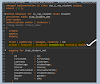
Next, we use CL_CSV_FACTORY to generate a CSV file using a semicolon delimiter and automatically include the header row.
DATA(lv_xstring_csv) =
cl_csv_factory=>new_writer(
)->set_delimiter( ';' )
->set_write_header( abap_true )
->write( REF #( lt_billing ) ).
What happens here?
- A CSV writer object is created.
- The delimiter is set to semicolon (
;). - The header row is enabled.
- The internal table is passed by reference to generate the CSV.
The output is returned as an XSTRING, which can then be used for:
- File download
- API responses
- Email attachments
- Integration scenarios
Step 3 – CSV with Custom Headers and Field Formatting
Sometimes the default column names are not suitable for business users. We can customize them using a field catalog and also apply formatting rules.
For example, we can rename fields and format the billing date in ISO format.
DATA(lv_xstring_csv_v2) =
cl_csv_factory=>new_writer(
)->set_delimiter( ';' )
->set_write_header( abap_true )
->write(
itab_ref = REF #( lt_billing )
fieldcatalog = VALUE if_csv_field_catalog=>ty_t_field(
( fieldname = 'BillingDocument'
header_text = |Billing Document| )
( fieldname = 'BillingDocumentDate'
header_text = |Billing Date|
format = cl_csv_field_format=>date_iso )
( fieldname = 'TotalNetAmount'
header_text = |Net Amount| )
( fieldname = 'TransactionCurrency'
header_text = |Currency| )
)
).
This allows us to:
- Define business-friendly column headers
- Apply field formatting
- Control how data appears in the CSV output
How It Works
The CSV generation process follows a simple workflow:
- The internal table is passed by reference to the CSV writer.
- The delimiter and header options are configured.
- The field catalog controls column names and formatting.
- The final CSV content is returned as an XSTRING.
This XSTRING can then be converted into a downloadable file or used in integration scenarios.
Benefits of Using CL_CSV_FACTORY
Using this class provides several advantages:
- Simple and clean ABAP syntax
- Built-in support for custom headers
- Easy field formatting
- Works in SAP S/4HANA Public Cloud and ABAP Cloud
- Ideal for reports, APIs, and integration scenarios