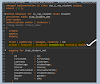
In many business applications, data may change in the backend while a user is actively working in the UI. Ideally, these updates should appear automatically without requiring the user to manually refresh the page.
In traditional ABAP scenarios, this was often handled using ABAP Channels. However, in the ABAP RESTful Application Programming Model (RAP), this can be achieved using Event-Driven Side Effects.
With this approach, when a change occurs in the backend, an event is raised during the save sequence, which triggers side effects that automatically update the UI.
Example Scenario
Consider a Travel application where the Overall Status of a travel record is updated by:
- A background job
- Another user
- A report or external process
If the application is already open in the UI, the status should update instantly without refreshing the page.
This behavior can be implemented using Event-Driven Side Effects in RAP.
Typical Use Cases
Event-driven side effects are useful when:
- Background jobs update business data
- Users need real-time notifications
- Multiple users work on the same records simultaneously
- Backend processes update fields while the UI is open
Step 1 – Add Event-Driven Side Effects in the Behavior Definition (BDEF)
First, define an entity event and specify which UI fields should be affected when the event is triggered.
managed with additional save ....
..
define behavior for YR_YABS_TRAVEL alias Travel
....
{
....
event StatusChanged for side effects;
side effects {
event StatusChanged affects field OverallStatus;
}
}
Here:
StatusChangedis the entity event- The side effect specifies that this event updates the OverallStatus field in the UI
Step 2 – Expose the Event in the Projection BDEF
Next, expose the side effects and event in the projection behavior definition so that the UI can react to it.
....
use side effects;
define behavior for YC_YABS_TRAVEL alias Travel
....
{
....
use event StatusChanged;
}
This allows the Fiori UI to listen for the event and update the affected fields automatically.
Step 3 – Raise the Event in the save_modified Method
Entity events in RAP can be raised only during the save sequence.
In the Behavior Implementation Class, we detect the field change and raise the event.
METHOD save_modified.
IF update-travel IS NOT INITIAL.
LOOP AT update-travel ASSIGNING FIELD-SYMBOL(<travel>).
IF <travel>-%control-OverallStatus = if_abap_behv=>mk-on.
RAISE ENTITY EVENT yr_yabs_travel~StatusChanged
FROM VALUE #( ( %tky = CORRESPONDING #( <travel>-%key ) ) ).
ENDIF.
ENDLOOP.
ENDIF.
ENDMETHOD.
Here:
- We check if OverallStatus was modified
- If yes, the StatusChanged event is raised
- This triggers the side effect defined in the behavior definition
Sample Trigger Code (EML Update)
The following example updates the travel status using EML. When this update occurs, the event will be raised automatically during the save sequence.
CLASS ycl_travel_gen_data DEFINITION
PUBLIC
FINAL
CREATE PUBLIC.
PUBLIC SECTION.
INTERFACES if_oo_adt_classrun.
ENDCLASS.
CLASS ycl_travel_gen_data IMPLEMENTATION.
METHOD if_oo_adt_classrun~main.
MODIFY ENTITIES OF yr_yabs_travel
ENTITY Travel
UPDATE FIELDS ( OverallStatus )
WITH VALUE #( ( TravelID = '00000001'
OverallStatus = 'A' ) )
REPORTED DATA(lt_reported)
FAILED DATA(lt_failed).
COMMIT ENTITIES.
out->write( 'Status updated' ).
ENDMETHOD.
ENDCLASS.
How It Works
The process follows these steps:
- The trigger code updates the
OverallStatusfield using EML. - During the save sequence, the
save_modifiedmethod detects the change. - The method raises the
StatusChangedevent. - The side effect is triggered, updating the UI field automatically.
- The user sees the updated status in real time without refreshing the application.
Important Note
Event-Driven Side Effects are currently available in:
- SAP BTP ABAP Environment
- SAP S/4HANA Public Cloud
Starting with release 2025, this feature will also be available in:
- SAP S/4HANA On-Premise
- SAP S/4HANA Private Cloud
This approach is particularly valuable in collaborative applications, background processing scenarios, and systems where multiple users interact with the same business data simultaneously.
#RAP #ABAP #SAPFiori #S4HANA #SideEffects #EventDriven #RealtimeUpdates