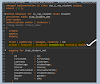
In some RAP applications, we may need to execute custom logic when the Create button is pressed in the SAP Fiori UI. Instead of using the standard create operation, RAP allows us to implement this behavior using a Static Default Factory Action.
A static factory action is automatically triggered when the Create button is clicked in a SAP Fiori Elements application. This allows developers to perform custom processing before creating an entity instance.
Typical scenarios where this is useful include:
- Setting default values from external sources
- Performing parameterized create operations
- Creating records based on custom business logic
- Initializing fields before the entity is created
Factory Actions in RAP
RAP provides two types of factory actions:
Static Factory Actions
- Not bound to any specific instance
- Used to create new entity instances
- Ideal for setting default values or parameterized creation
Instance Factory Actions
- Triggered based on an existing instance
- Often used for copying or duplicating data
When a static factory action is defined with the default option, it replaces the standard create operation in the SAP Fiori Elements UI.
Example Scenario
In the following example, we implement a static default factory action to create Customer data.
When the user presses the Create button in the UI, the custom action createCustomer is triggered instead of the standard create operation.
Step 1 – Define Static Default Factory Action in Root BDEF
First, define the static default factory action in the root behavior definition.
define behavior for ZR_ROOT alias ROOT
{
create;
update;
delete;
static default factory action createCustomer
parameter ZD_CustomerData [1];
}
Here:
createCustomerreplaces the standard create operationZD_CustomerDatacontains the parameters passed to the action
Step 2 – Create an Abstract Entity for Action Parameters
Next, define an abstract entity that holds the parameters passed to the factory action.
@EndUserText.label: 'Customer Data'
define abstract entity ZD_CustomerData
{
@EndUserText.label: 'Customer ID'
CustomerId : int4;
@EndUserText.label: 'First Name'
FirstName : abap.char(20);
@EndUserText.label: 'Last Name'
LastName : abap.char(20);
}
This entity acts as the parameter structure for the static factory action.
Step 3 – Implement Custom Logic in the Action Handler
Next, implement the action logic in the behavior implementation class.
METHOD createCustomer.
CHECK keys IS NOT INITIAL.
MODIFY ENTITIES OF ZR_Root IN LOCAL MODE
ENTITY Root
CREATE FIELDS ( id Fname Lname Age )
WITH VALUE #(
FOR key IN keys (
%cid = key-%cid
%is_draft = key-%param-%is_draft
Id = key-%param-CustomerId
Fname = key-%param-FirstName
Lname = key-%param-LastName
Age = 25
)
)
MAPPED mapped
FAILED failed
REPORTED reported.
ENDMETHOD.
Here:
- Parameters received from the action input are mapped to entity fields
- The entity instance is created using EML (
MODIFY ENTITIES)
Step 4 – Expose the Action in the Projection BDEF
Finally, expose the action in the projection behavior definition.
define behavior for ZC_Root alias Root
{
use create;
use update;
use delete;
use action createCustomer;
}
This step ensures the action is available in the projection layer and visible in the UI.
How It Works
The process works as follows:
- The user clicks the Create button in the SAP Fiori UI.
- Instead of the standard create operation, the static default factory action is triggered.
- The action parameters are passed through the abstract entity.
- The action handler executes custom logic.
- The entity instance is created using EML.
This feature is particularly useful in SAP Fiori Elements applications, where the Create button automatically triggers the factory action, enabling flexible and controlled entity creation.
#RAP #ABAP #SAPFiori #S4HANA #FactoryAction #ABAPCloud #SAPDevelopers